Choose the right time
Match the appointment, consultation or job to real availability and capacity.
CONNECTED SCHEDULING
Move qualified customers onto the calendar without losing the details that the office, provider or field team needs next.
WHAT COMES IN
WHAT OPSLY CREATES
HOW IT WORKS
Match the appointment, consultation or job to real availability and capacity.
Carry the customer, service and conversation context into the scheduled work.
Keep the office and the people doing the work aligned around the same plan.
WHAT OPSLY ACTUALLY DOES
Each action keeps the customer, the work and the outcome connected instead of creating another isolated tool.
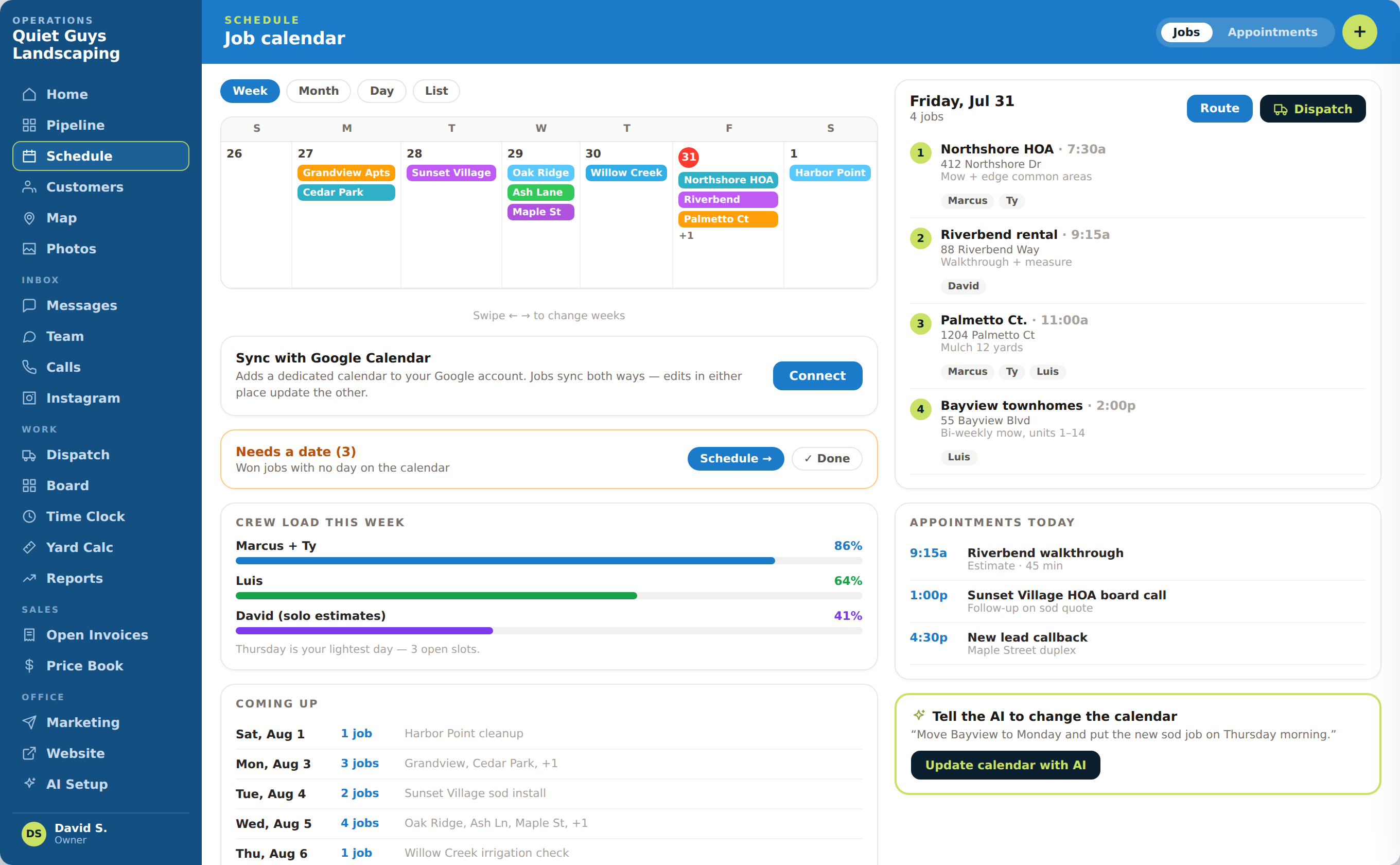
Uses current calendar and capacity information to show appropriate times for the requested work.
Less back-and-forth and fewer avoidable scheduling conflicts.
Supports appointment-led, project and field-work scheduling inside the same operating view.
Different business models do not have to force every booking into the same format.
Attaches the customer, service, location and conversation details to the calendar item.
The people doing the work can see what was requested and promised.
Connects the scheduled work to the appropriate provider, employee or crew.
The office and delivery team work from the same plan.
Keeps supported reschedules and changes synchronized with connected calendars.
The same schedule change does not have to be entered repeatedly.
AUTOMATION WITH CONTROL
AI and automation move the routine steps. Your team keeps authority over rules, exceptions and customer commitments.

WHAT THIS CHANGES
Support customer-driven teams whether the work happens in a studio, office or field.
Know why the work was booked, what was promised and what must happen next.
See open time and team load before work is placed on the schedule.
APPOINTMENT-TEAM EXAMPLE
The booking carries the customer’s needs into the calendar so the provider sees more than a name and a time.
A wellness customer finishes qualification and agrees to schedule a consultation.
Opsly uses the requested service, duration and current availability to show appropriate options.
The team selects the time and provider and reviews the details before confirming.
The appointment is created with the customer request and conversation context attached.
Supported calendar changes remain connected if the customer later needs another time.
WHAT STAYS CONNECTED
SEE THE COMPLETE CUSTOMER JOURNEY