Watch for the trigger
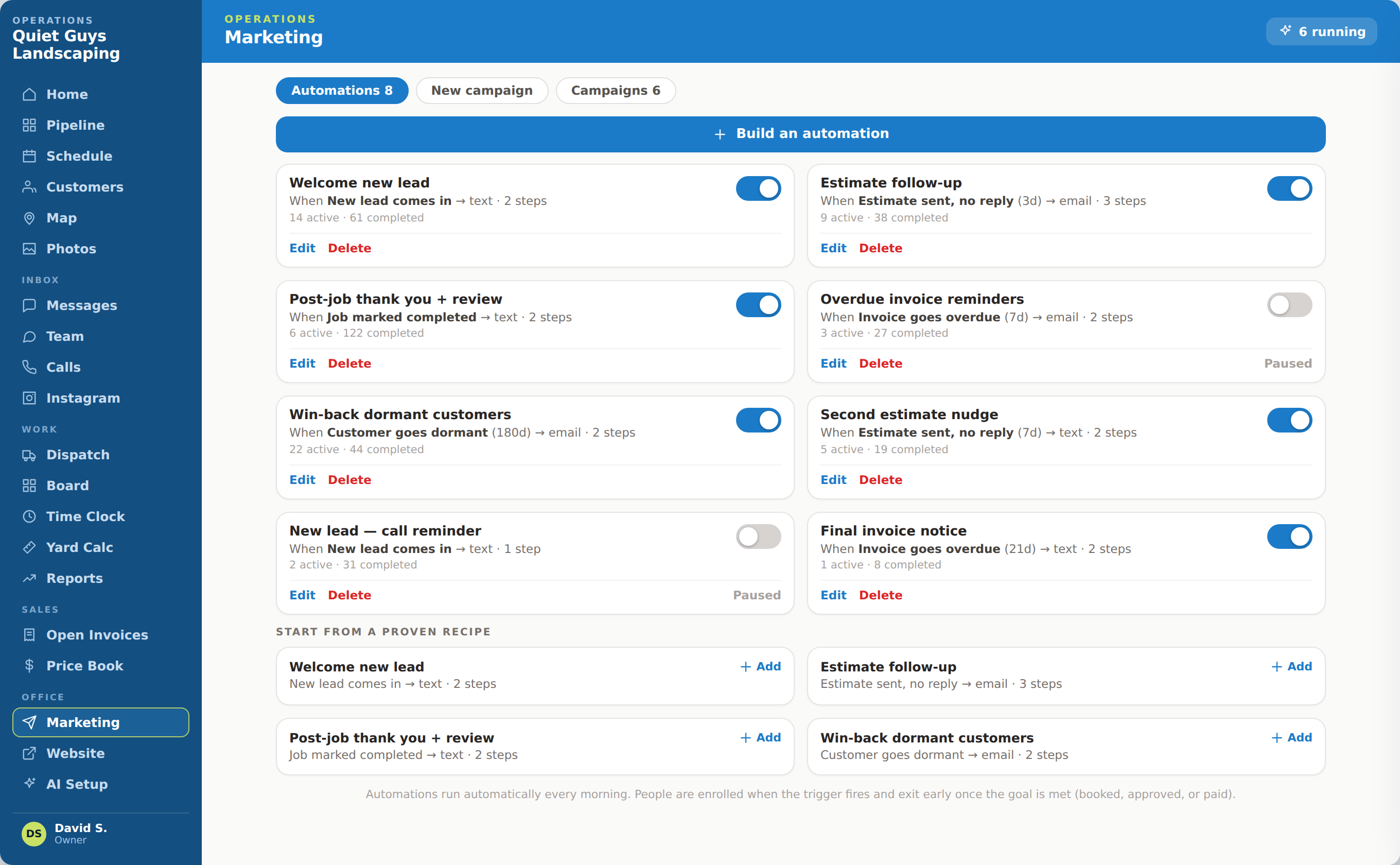
Respond when a lead goes quiet, a proposal stalls, work finishes or a customer becomes dormant.
RETENTION AND FOLLOW-UP
Continue the relationship after the first conversation or completed job with timely follow-up that still knows the customer’s history.
WHAT COMES IN
WHAT OPSLY CREATES
HOW IT WORKS
Respond when a lead goes quiet, a proposal stalls, work finishes or a customer becomes dormant.
Keep the message connected to the service, conversation and outcome that came before it.
Rebook, reactivate, request a review or invite the customer to refer someone new.
WHAT OPSLY ACTUALLY DOES
Each action keeps the customer, the work and the outcome connected instead of creating another isolated tool.
Contacts customers after an estimate has gone unanswered for the configured period.
More proposals receive a decision instead of quietly expiring.
Identifies leads with no recent contact and restarts the conversation with context.
Existing opportunities are recovered before the business buys more leads.
Uses connected status changes to move the customer toward another time when configured.
More lost appointments have a path back to the calendar.
Sends a configured thank-you, review request or referral invitation after completion.
Good customer experiences produce visible trust and future demand.
Reaches customers who have not booked or purchased again within the selected period.
The existing customer list can create repeat revenue.
AUTOMATION WITH CONTROL
AI and automation move the routine steps. Your team keeps authority over rules, exceptions and customer commitments.

WHAT THIS CHANGES
Bring promising conversations back before the opportunity is lost.
Turn completed work and strong experiences into visible trust and new business.
Use the existing customer list to create repeat revenue without starting from zero.
APPOINTMENT-TEAM EXAMPLE
The follow-up sequence responds to customer behavior without forcing the team to remember every unanswered estimate or overdue rebooking.
A customer receives a treatment estimate but does not respond.
After the configured delay, Opsly sends the approved first follow-up message.
If there is still no response, the next configured step runs later through the selected channel.
The customer replies, reopening the conversation with the original estimate and history attached.
Once the customer books or the team takes over, the workflow exits and the outcome is recorded.
WHAT STAYS CONNECTED
SEE THE COMPLETE CUSTOMER JOURNEY