Move the work forward
Carry approved details from the pipeline into the work your team must deliver.
WORK TO REVENUE
Keep proposals, work progress, invoices and payment status connected to the same customer journey.
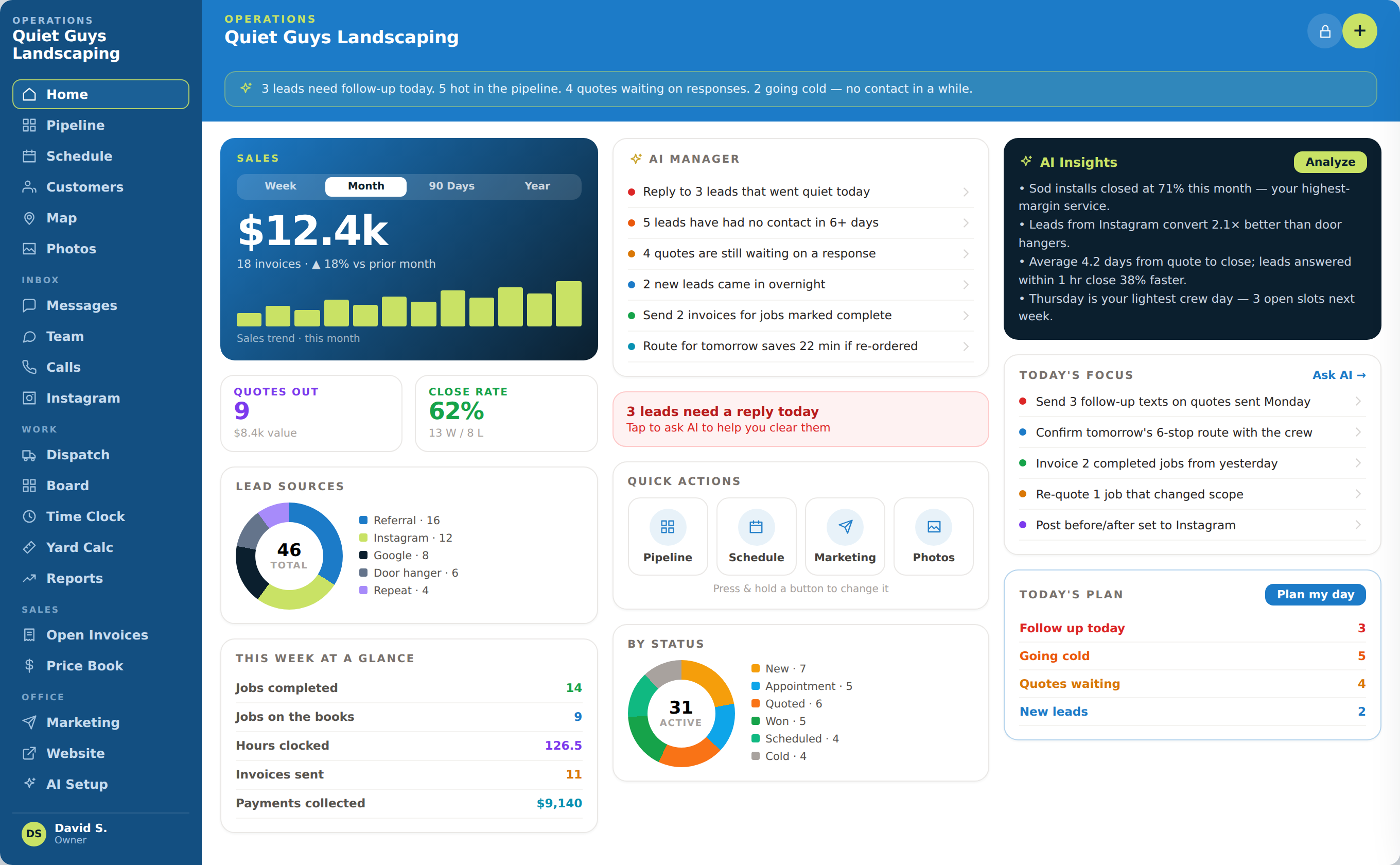
WHAT COMES IN
WHAT OPSLY CREATES
HOW IT WORKS
Carry approved details from the pipeline into the work your team must deliver.
Keep the customer, project or job information attached when it is time to bill.
See what has been collected and what still needs attention without rebuilding the story.
WHAT OPSLY ACTUALLY DOES
Each action keeps the customer, the work and the outcome connected instead of creating another isolated tool.
Carries the approved customer, scope and pricing details from the opportunity into delivery.
The operations team does not recreate the job after the sale.
Keeps scheduled, active and completed work visible with the customer record.
The office can see what has been promised, delivered and closed out.
Creates or tracks the invoice against the same customer and work record.
Billing keeps the context behind the amount being charged.
Surfaces open invoices and supports configured overdue reminder automations.
Fewer completed projects remain unpaid or forgotten.
Associates recorded revenue with the customer, opportunity and supported source information.
Owners can see which opportunities actually became revenue.
AUTOMATION WITH CONTROL
AI and automation move the routine steps. Your team keeps authority over rules, exceptions and customer commitments.

WHAT THIS CHANGES
Keep pricing and customer decisions tied to the opportunity that created the work.
See open invoices beside the rest of the customer relationship.
Understand which leads, conversations and sources resulted in paid work.
PROJECT-TEAM EXAMPLE
The project team moves from sale to delivery without separating the customer conversation, approved scope, invoice and outcome.
A consulting client approves a proposal after the discovery call.
Opsly moves the opportunity into won work with the customer, scope and pricing attached.
The team schedules and completes the work while the status remains visible to the office.
The invoice action appears against the same customer record and open balance.
Once payment is recorded, the owner sees the revenue beside the original opportunity and source.
WHAT STAYS CONNECTED
SEE THE COMPLETE CUSTOMER JOURNEY